

织梦CMS 编辑器上传图片增加图片说明alt属性和title属性

1、/kindeditor/kindeditor-all.js 或者 /kindeditor/kindeditor.js 或者 /kindeditor/kindeditor-min.js 找到图片按钮的代码
'<p class="tab2" style="display:none;">',
在里面加入
'<p class="ke-dialog-row">', '<label for="remoteTitle" style="width:60px;">' + lang.imgTitle + '</label>', '<input type="text" id="remoteTitle" class="ke-input-text" name="title" style="width:200px;" />', '<input id="autotitle" class="np" type="checkbox" onclick="if($(this).is(\':checked\')){$(this).prev().val($(\'#title\').val());}else{$(this).prev().val(\'\');}"> 使用文章标题', '</p>',
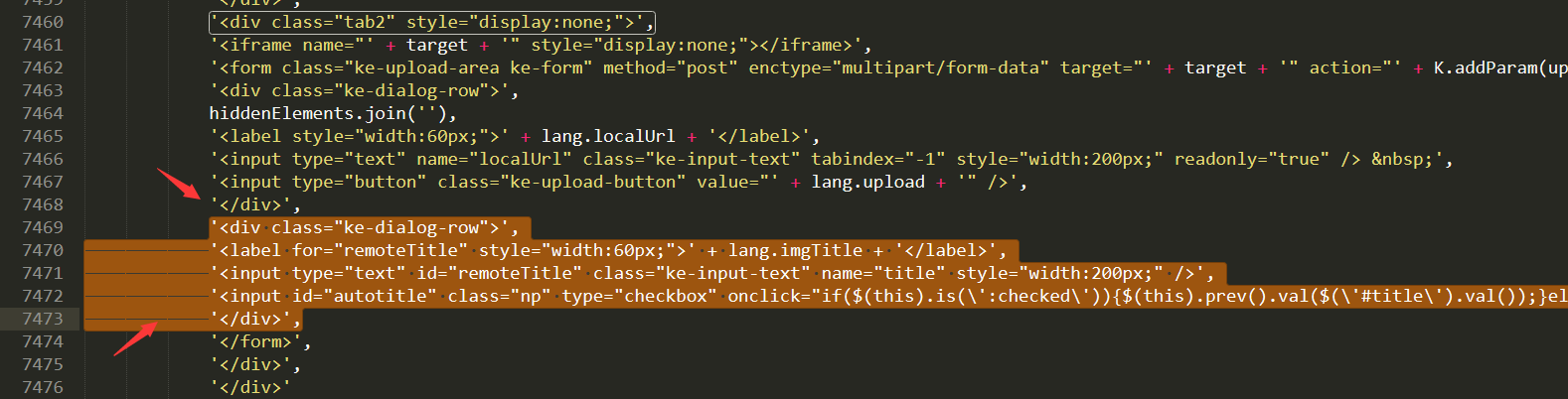
2、kindeditor_post.php 或者 kindeditor\php\upload_json.php 找到
echo $json->encode(array('error' => 0, 'url' =>
改成
$img_title = $_POST['title']; echo $json->encode(array('error' => 0, 'url' => $activepath."/$mdir/".$filename_name, 'title'=>$img_title));
就是加了 img_title 而已,注意你的代码,不一定跟我上面的是一样的。在你的基础上加入而已。

相关文章:
相关推荐: